iPad Casinos UK: Browser Access and Compatibility
 Available in GB
Find out what to test in the browser, cashier and games, and how to check whether an operator is licensed for Great Britain.
How an iPad Casino Works in a Browser
An iPad casino in a browser is a website opened in Safari or another browser, rather than a separate app. Whether a particular site works well on your tablet is something to test on that site: a page loading is not the same as every feature working properly. Check that you can sign in, move between pages and open the cashier without controls being cut off or difficult to use.
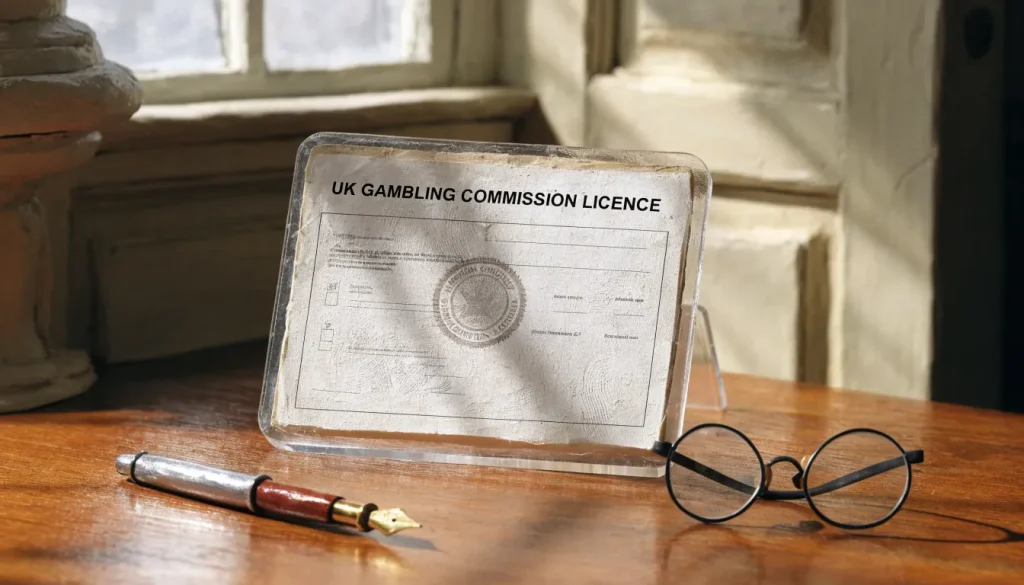
Browser access also does not establish that a casino is available legally to UK players. Remote gambling operators serving Great Britain must hold a UK Gambling Commission licence. You can check the operator’s licence details independently; a polished tablet layout is not evidence of regulatory status.
Check the site, not just the screen
Start with the operator’s own site in your browser. Look for clear navigation, readable account and payment information, and a cashier that remains usable in portrait and landscape orientation. If a page stalls or buttons do not respond, try reloading it or changing orientation before assuming that the whole site is incompatible. Avoid entering payment details until you can see what the cashier is asking you to do.
A tablet-sized display can make a desktop page look workable while leaving important details awkward to reach. The terms, payment options and account controls matter as much as the front page. Make sure you can find them and read them before creating an account or depositing. If the operator directs you to an app instead, that is a separate access route; browser access alone does not confirm that an app exists or is supported.
You may also want to test the site while signed in, because account pages and the cashier can behave differently from public pages. Do not treat a successful sign-in as confirmation that every account function is available on the iPad. Check the parts you intend to use, especially the deposit and withdrawal screens.
Best Instant Withdrawal Casinos in the UK: What to Check
Read the cashier before depositing
The cashier is where the operator shows the payment choices available to your account. Its information may differ by method, and it can change, so use the live cashier rather than relying on a general description elsewhere. Before depositing, check the stated minimum deposit, maximum transaction value and any fees. Review the account’s financial-limit controls as well.
A specialist review can offer background, but it cannot replace the cashier for current terms. The payment method shown there is the relevant detail for your account at that time. Do not assume that a method mentioned on a general payments page will appear for you, or that a deposit option will also be available when you request a withdrawal.
Check the withdrawal information before you put money in. Confirm which routes are offered, what the cashier says about processing times and fees, and whether the method you plan to use for a deposit can also receive withdrawals. Deposit and withdrawal arrangements can depend on both the selected method and the live account options. If the cashier does not make the route clear, pause and ask the operator for clarification rather than guessing.
Treat browser access and payment support separately
A casino site may open and function in your iPad browser while offering only a limited set of payment methods to your account. The reverse can also be true: a payment method may be described by the operator, but the cashier may not show it as available for your account. Neither browser compatibility nor a payment logo on a page is enough to confirm that a transaction will work.
Before entering payment details, check that the cashier shows the method you intend to use and explains the relevant conditions. For withdrawals, check the available route separately. A method’s presence on the deposit screen does not prove it can be used to withdraw funds, and the cashier’s current information should guide your decision.
If you can navigate the site, review its terms and read both sides of the cashier process, you have a clearer basis for deciding whether it is practical to use on your iPad. Keep the distinction simple: the browser tells you whether you can access the site; the cashier tells you what payment options and conditions are currently presented to your account.
Verify before depositing
- Check that the casino holds a UKGC licence
- Test the cashier in portrait and landscape orientation
- Confirm the available withdrawal methods and their terms
- Verify the minimum and maximum transaction values
- Ensure you can navigate account and payment pages easily
What to Check Before You Choose an iPad Casino
Choosing an iPad casino is less about finding a tablet-specific label and more about checking whether the operator’s current terms fit your needs. A site may be accessible on an iPad, but that alone does not confirm which account features, payment routes or conditions will apply to you. Treat descriptions of features as a starting point; verify the details in the operator’s own account pages before you commit.
Confirm the operator’s status
For real-money gambling in Great Britain, the operator must hold a current UK Gambling Commission (UKGC) licence. Check the operator’s identity and licence information rather than relying on a logo or a general claim that a site is “regulated”. The licence is relevant to the service you are using, not to whether the site happens to load on your iPad.
This is a practical first check, not a substitute for reading the terms. A licensed operator can still set conditions that affect deposits, withdrawals, account verification or access to particular features. Make sure the information refers to the operator responsible for your account, especially if a site uses a group of related brands.
Read the live cashier before depositing
Open the cashier while signed in, if possible. Its options may depend on your account and can change, so a payment method mentioned in an old review or elsewhere on the site is not proof that it is currently available to you. Check the details shown for your account, including the minimum deposit, maximum transaction value, fees and any financial-limit controls.
Also check the withdrawal side of the cashier before choosing a deposit route. A method offered for deposits is not necessarily available for withdrawals. The available payout route may depend on your account, and some operators require a withdrawal to use the same method as the deposit. Do not assume that this applies everywhere—or that it does not apply to the operator you are considering.
Casinos That Accept USDC in the UK: Payment Checks
Before depositing, confirm what route you could use to withdraw, whether identity checks remain outstanding and which current terms govern the account. If the cashier does not make the payout route clear, seek clarification from the operator before adding funds. Finding out only when you want to withdraw is an avoidable surprise.
Check withdrawal conditions, not just the headline
Look for the operator’s current withdrawal rules in the cashier and terms. Check the minimum and maximum amounts, any fees, and the stated processing arrangements for each available method. A balance below an operator’s minimum withdrawal threshold may not qualify for a withdrawal request. A request above a maximum may be handled in parts, if the operator’s rules provide for that.
These conditions are not fixed across UK casinos. Public banking information does not establish reliable UK-specific figures for casino withdrawal fees, limits or processing times; the live cashier is the authoritative place to check the operator’s current terms. A specialist review can help you identify questions to ask, but it is not a substitute for the rules currently attached to your account.
Read wording about processing carefully. A time estimate may describe only one stage, while the operator may have separate checks or steps before a payment is sent. If timing matters to you, establish what the stated period covers and whether it depends on completing verification. Do not treat a broad claim such as “fast withdrawals” as a specific commitment.
Review account and verification requirements
Check what information the operator requires to open and maintain an account, and whether your details must match those used for your chosen payout route. Inconsistent account and payment details can complicate verification or prevent a route from being used. Read the identity-check requirements before depositing, and check your account for any requests that have not been completed.
Casinos That Accept Monzo: UK Payment Guide
New customers must be prompted to consider a financial limit before making their first deposit, and account-level limit facilities must remain available afterwards. Use the prompt to set a limit you can afford, and check where to review or change it in your account. If you cannot find the controls or do not understand what they cover, clarify that before depositing.
Compare terms that affect your decision
Read the current terms for conditions that may affect your account, including verification, withdrawal requests and the handling of payment methods. Keep the cashier and the terms together: the cashier shows what is available to you now, while the terms explain the conditions attached to those options. Both can change over time, so a saved screenshot or an old review may no longer describe the service you would receive today.
A simple check before choosing an iPad casino is therefore to confirm the UKGC licence, inspect the signed-in cashier, identify the payout route, resolve outstanding checks and read the relevant terms. That takes more than judging a site by its tablet layout, but it is the part most likely to matter when money has to move.
Casino Apps and iPad Compatibility
An iPad casino app and a casino opened in Safari are two different ways to access a site. A browser visit does not mean the operator offers an app, and finding an app does not establish that it works on every iPad. Treat the two options separately: confirm what the operator provides, then check whether your device and the app’s current requirements match.
Some operators may provide an app, while others may direct customers to their website. The availability of an app can depend on the operator and may change, so check the operator’s own information rather than relying on an old listing or a general claim about casino apps for iPad. If an app is offered, confirm that it is intended for iPad use and that it is available through the channel the operator identifies. Do not assume that an app designed for another device will work in the same way on a tablet.
App vs Browser
An iPad casino app and a casino opened in Safari are two different ways to access a site.
Before installing anything, check the app’s compatibility information and the operator’s setup instructions. These should help you establish whether your iPad and its software meet the stated requirements, how the app is obtained, and whether an account is needed to use it. If those details are unclear, ask the operator before proceeding. A name or logo that resembles a casino brand is not, by itself, confirmation that an app is official.
Using a browser may remain an option even when no iPad app is offered. Conversely, an app may provide a separate access route, but it does not remove the need to follow the operator’s account and safety requirements. Whichever route you use, look for the operator’s account controls and make sure they remain available to you. New remote customers must be invited to think about setting a financial limit before they make a first deposit, and the account should continue to provide access to limit controls afterwards.
Keep your device’s software current and use the operator’s own guidance if you need to install, update or remove an app. Avoid unofficial download links or instructions that ask you to bypass the normal installation process. If an app stops working, check the operator’s support information before assuming the account itself is affected; you may be able to access the site through a browser instead, subject to the operator’s current guidance.
Casinos That Accept Ukash in the UK: Current Options
There is no reliable way to identify a “best” casino app for iPad without checking what a particular operator currently supports and how its app is intended to work. Compatibility can change with software updates, so verify it at the point you plan to use the app. The practical choice is between a confirmed, supported app and the operator’s browser-based access—not an assumption that every casino has a suitable tablet app.
Our top casino picks for the UK
- EvoSpinBonus: 125% up to €2500 + 125 Free Spins · Payout speed: 1-3 business days
- x3betBonus: Welcome Pack 100% Up to £1.000 + 200 Free Spins · Payout speed: 1-3 business days
- ChanzeBonus: Slots Welcome Bonus #1 200% up to €500 · Payout speed: 1-3 business days
- SlotoSportBonus: 500% up to £ 10 200+ 777 FS · Payout speed: 1-3 business days
- NightLuckBonus: Welcome Pack + 805% Up To 6400€ + 280 FS · Payout speed: 1-3 business days
- WinBeastBonus: €5000 + 500 FS + €650 Freebet · Payout speed: 1-3 business days
Casino Games on an iPad: What You Can Verify
An iPad can be used for different kinds of casino play, including slots and table games, but the device alone does not tell you which games a particular casino offers. A game’s presence, rules and display can vary by operator, so check the catalogue on the site you intend to use rather than relying on a general claim about iPad compatibility.
When browsing a catalogue, look at the game’s own information before opening it. Check whether it is a slot or a table game, read the rules and paytable, and note any stated stake conditions. These details help you understand what the game involves; they do not establish that it will run well on your iPad. The practical test is whether the game opens and remains usable on that device.
The same distinction matters when looking for slots. A casino may have a slot catalogue, but that does not mean every title will be available through every way of accessing the service. Nor does a general claim about tablet play amount to a dependable list of games. Verify the actual catalogue and the individual game’s availability before deciding what to play.
Pay by Phone Casinos UK: Deposits and Fees
There is also a difference between seeing a game and being able to play it in the way you expect. A title may have separate information, rules or play options, and the game screen may need to be checked on the iPad itself. Treat descriptions as a starting point, not a substitute for checking the game’s controls and layout.
For online slots in Britain, autoplay is banned and each spin must last at least two and a half seconds. These rules apply to online slot play, not to the shape or size of the iPad screen. If you are comparing games, focus on their rules and stated features rather than assuming that a larger display changes how they work.
A useful approach is to choose a category first, then inspect the specific game and its rules on the casino’s own site. That gives you a clearer basis for deciding whether the game suits your preferences and works on your tablet, without relying on a broad promise about the best games for iPad.
Playing for Real Money on an iPad
Playing for real money on an iPad involves more than opening a casino page and making a deposit. The operator must be authorised to serve the UK market, and the account must meet its requirements before money can be gambled. In Great Britain, remote operators offering gambling must hold a UK Gambling Commission licence. The rules apply to the operator, not to whether you access the account on a tablet, phone or computer.
Casinos That Accept eCheck in the UK: What to Check
Before the first deposit, a new remote customer must be asked to consider setting a financial limit. This is an account control for managing how much you can spend; it is separate from any limit that may apply to a particular payment method. Take the prompt seriously and decide on a limit before adding funds. The operator must also keep account-level limit controls available afterwards, so you can review or change your settings while using the account.
Payment rules matter whichever device you use. Credit cards cannot be used to fund online gambling with a UK-licensed operator. This restriction also covers a payment routed through a money service business: changing the route does not make credit-card funds acceptable for gambling. Do not use an e-wallet or intermediary to move credit-card money into a casino account.
A debit card is not a credit card, but the distinction does not establish that a particular card or payment route will be accepted by a particular operator. Check the live cashier and the payment terms before you deposit. The next payment checks are practical ones: whether the method is offered to your account, what limits or fees apply, and what route is available if you later request a withdrawal. A tablet does not change those conditions.
Bonuses should not be treated as a reason to skip these checks. If an offer is presented to you, read its terms before accepting it and make sure you understand what happens to your balance when you use it. A claim of a no-deposit bonus does not remove the need to meet the operator’s account requirements or make an otherwise restricted payment route permissible.
Payment Restriction
Credit cards cannot be used to fund online gambling with a UK-licensed operator.
Keep the financial decision separate from the screen size. An iPad may make an account easier to view, but it does not make gambling costs less consequential. Set the account limit before depositing, use only an allowed payment source, and do not add funds until you understand the relevant terms.
Deposits, Withdrawals and Payment Limits on iPad
An iPad does not determine which payment methods a casino accepts. The operator’s live cashier does. Before you deposit, check it from your account on the device you intend to use, and read the terms linked there. Payment options, transaction limits, charges and processing information can change; a method mentioned in an older review may no longer be available to you.
The cashier should show the deposit minimum and the largest transaction it will accept, along with any fee. It should also let you find your account’s financial-limit controls. New customers must be asked to consider setting a financial limit before making their first deposit, and those controls must remain available after the account is opened. Set a limit you can afford before funding the account, rather than treating the cashier’s maximum as a suggested budget.
A deposit method is not automatically a withdrawal method
Check the withdrawal options separately. A card or e-wallet appearing on the deposit page does not prove it can receive a payout, or that the same route is available for your account. Some non-UK casinos require withdrawals to return through the deposit method; that condition should not be assumed to apply everywhere. Confirm the operator’s rule and the route offered to you before paying in.
Independent current reviews have listed Visa, Mastercard, Skrill, Neteller and PaysafeCard, as well as some major cryptocurrencies, among casino payment options. Those lists are starting points, not confirmation that a method is accepted by a particular UK-licensed operator today. Use the live cashier to establish what you can actually select. Credit cards cannot be used for gambling with remote gambling licensees in the UK, including when payment is routed through a money service business.
For a withdrawal, check that the selected route matches the account holder’s details and currency. Look for any identity checks still outstanding, the minimum and maximum payout amounts, fees and the stated processing time. These details depend on the payment method and the operator’s current arrangements. Public banking information does not provide a stable set of UK-specific casino payout figures, so the cashier’s current information is the useful reference.
A payout request can also be affected by the available balance and the operator’s limits. A casino may refuse a request if the balance is below its minimum withdrawal threshold. If a request is above a maximum, the operator may divide it into separate payments. Neither outcome should be treated as a universal rule: read the current withdrawal terms and check the figures shown for your account.
Compare the full journey, not just the deposit
A payment method that makes it easy to add funds may be less useful if the withdrawal route is unclear, carries a fee or has different limits. Compare the deposit and withdrawal screens together, including any account checks you need to complete. If you cannot see how a payout would reach you, resolve that before depositing; a payment button is not a promise about the return journey.
DO
- Use the live cashier to confirm current terms
- Check withdrawal options separately from deposits
- Keep track of the method and terms used for transactions
DON’T
- Rely on old reviews or general payment descriptions
- Assume a deposit method works for withdrawals
- Trust an app’s legitimacy based only on a similar logo
Keep a note of the method you use and the terms displayed when you make the transaction. If the cashier changes, check it again before a later deposit or withdrawal. That is especially relevant on an iPad, where a saved page or an old browser tab can make yesterday’s payment information look current.
Free Slots on an iPad: What Free Play Means
A slot game on an iPad may be described as “free” because it lets you play without staking money. That label does not, by itself, tell you whether you are using a casino’s real-money service, a separate entertainment app or a demo mode. The distinction matters: free play is not the same as gambling for money, and a game’s appearance on a tablet does not establish what account or payment features it offers.
In a free-play mode, you play without wagering real money or receiving cash winnings. A game may use virtual credits to keep the play going, but those credits are not a balance you can withdraw. If a game offers a route from free play to real-money play, treat that as a separate activity: the change in mode alters what is at stake, not merely the way the screen looks.
This is why phrases such as “free slot apps for iPad” can cover different things. They might refer to a standalone game intended for entertainment, or to a free mode within a casino service. The wording alone cannot tell you which applies. Read the description and the terms attached to the particular game or service, and check whether it asks you to open a gambling account or offers real-money play. Do not assume that a free mode makes every part of the service free or that virtual credits can be exchanged for money.
What “free” does and does not mean
Free play can be useful if you want to see how a game behaves without placing a stake. It does not establish that the game is available for real-money play, that a particular casino supports it on an iPad, or that an app is compatible with your device. Nor does a free-to-play label certify the service as a suitable place to gamble. Those are separate questions about access, the operator and the conditions attached to real-money gambling.
A free game can still involve choices with consequences for your use of the service. Check whether it includes optional purchases, account sign-in or links to paid play before proceeding. If you are only looking for entertainment, avoid moving into a real-money mode by mistake. If the game presents a deposit option, that is a clear change of context: stop and read the terms before taking any action.
Free play
Playing without staking real money or receiving cash winnings, often using virtual credits.
The distinction also helps when you see claims about the “best” slot or casino game apps for an iPad. A list of titles cannot be treated as verified merely because a game is advertised as free or appears in an app listing. Availability can depend on the provider, the platform and the operator’s current offering. No particular slot title or app can be recommended here. The practical point is to identify what you are downloading or opening, whether it is free play or gambling, and what permissions, account details or paid features it involves.
Free play versus gambling for money
Real-money online gambling in the UK is legal only through an operator with a current UK Gambling Commission (UKGC) licence. The rules applying to remote gambling are not changed by using an iPad, by accessing a service through an app, or by starting in a free mode. If you move from virtual play to staking money, you are no longer simply testing a game: you are entering a regulated gambling service. Operators must verify a customer’s age before allowing a deposit, and online gambling is for people aged 18 and over where the operator holds the required licence.
That difference is worth checking before you create an account or follow a prompt to continue. A free mode may let you start without depositing, but it is not evidence that a casino is licensed or that the real-money part has the same terms. For gambling in Great Britain, remote operators serving customers must hold the relevant UKGC licence. A service’s own description should not substitute for checking the operator’s status and the terms governing its money play.
There are also rules that apply specifically to online slots in Britain. Autoplay is banned, and each online slot spin must last at least 2.5 seconds. The maximum stake for a slot game cycle is £5 for customers aged 25 and over, and £2 for those aged 18 to 24. These are rules for real-money online slots; a virtual-credit mode does not turn a real-money stake into free play. If a game moves you into a mode where money is being wagered, the relevant gambling rules matter.
Free play should not be presented as a way around those rules. Nor should it be confused with a promise that gambling will be risk-free once money is involved. A demonstration may show the mechanics, but it cannot show what you will win or lose when staking real money. Any transition between modes deserves a deliberate check, rather than a quick tap through an unfamiliar screen.
Choosing what to open
When looking for free casino games on an iPad, start with the distinction between a game for entertainment and a casino service that also offers gambling. Check the description for any mention of real-money play, purchases or account requirements. If the service invites you to deposit, pause to establish whether you intend to gamble and whether the operator has a UKGC licence. Free access is not a substitute for that check.
Keep expectations modest about what a game label can prove. “Free slots” does not confirm that an app is available in the UK, works on your particular iPad, or contains a specific title. Those details need to be checked with the app provider or operator; they should not be inferred from a general category name. If the app’s purpose or payment features are unclear, do not treat the word “free” as a complete description.
Main Conclusion
Always verify gambling rules and payment terms through the live cashier and official UKGC status.
The useful test is simple: identify whether you are playing with virtual credits or staking money, and recheck whenever the service offers a switch between the two. Free play can remain just that, but only while no real-money wager is being made.
Pay-by-Mobile Deposits: Payforit and Boku
Payforit and Boku let you fund a casino account through your mobile network rather than entering card details. Support is not automatic: check the casino’s live cashier on your iPad before relying on either option. A method shown on one site may not be offered by another, and availability can change.
With Payforit, the deposit is added to a monthly phone bill or deducted from a Pay as You Go balance. The payment flow asks you to select Payforit, enter your mobile number, receive a confirmation code by text, then submit the code. Check the amount before confirming. The Phone-paid Services Authority caps Payforit deposits at £30 per transaction; a specialist review reports minimum deposits of £3–5, but the cashier should confirm the operator’s current minimum. Payforit is not a way to withdraw casino funds, so you will need another verified payment route to receive a payout. Also check whether a Payforit deposit qualifies for any promotion: a specialist review reports that many UK casinos exclude these deposits from welcome offers, but terms differ.
Boku also requires confirmation by text before a deposit goes through. Its standard transaction cap is £30, but do not assume a particular casino currently accepts it. Your available phone credit must cover both the deposit and any network fee. That fee can depend on your mobile network and tariff, so check the amount displayed before authorising the payment.
Pay-by-mobile can be useful when you want a deposit charged to phone credit or a bill, but its limits and withdrawal restrictions matter. Neither Payforit nor Boku should be treated as a complete cash-in-and-cash-out route. Before depositing, confirm the method is listed in the current cashier, read the transaction details and terms, and identify how withdrawals can be made from your account.
Live Casino and Blackjack on an iPad
Live-dealer play combines a video stream with controls for placing bets, so check both parts on your iPad before relying on the format. A page that opens in Safari does not, by itself, confirm that its live tables work on a tablet. Look for the operator’s device guidance and whether the live area is accessible in your browser or requires a supported app.
If you reach a table, check that the video displays clearly and the betting controls remain usable in portrait or landscape orientation. A stream that loads while buttons are hidden, cramped or slow to respond is not a workable session. Connection quality can affect playback, so test on the connection you intend to use rather than assuming that a successful page load proves the stream will run smoothly.
For live blackjack, verify that the table itself is offered for your device and that its rules and betting options are visible before you join. Do not assume that every live table has the same layout or is available through every route into the casino. If the operator’s help pages do not settle the question, ask its customer support whether live dealer play is supported on your iPad model and browser.
Keep account and gambling safeguards in view as well: in Great Britain, a remote operator offering real-money gambling must hold a UKGC licence, and new customers must be asked to consider setting a financial limit before their first deposit. Live play can move quickly; a tablet’s larger screen does not remove the need to decide in advance what you are prepared to spend.
How does Payforit work at a casino deposit?
You choose Payforit at the cashier, enter your mobile number, then confirm the deposit by submitting the code sent to you by SMS. The amount is charged to your monthly phone bill or deducted from your Pay as you Go credit.
What are the withdrawal limits when using a Payforit casino?
You cannot withdraw casino funds through Payforit. Check the cashier for the withdrawal routes and limits available to your account before depositing.
What is the maximum amount I can deposit via Payforit?
Payforit deposits are capped at £30 per transaction.
Can I claim casino bonuses using Payforit?
Usually not: most UK casinos exclude Payforit deposits from welcome bonuses and other promotions. Check the current terms before depositing.
Are there fees for using Boku at online casinos?
Your mobile network may charge a processing fee for Boku, and the amount depends on your network and tariff. Your phone credit must cover the deposit and any network fee.
Related posts

Terms of Use
UK Gambling Casino Sites and Slots: Licensing and Play